
Nine times out of ten, the difference between your listing photo and the competitor’s that looks like a print catalog isn’t the camera. It’s what happens after the shutter clicks.
Every online seller hits this wall eventually. You’ve got a great product, decent lighting, maybe even a half-decent camera. But the background is wrong, the edges look rough against Amazon’s white-background requirement, and your listing photo just sits there next to a competitor’s that belongs in a catalog.
That’s where a clipping path service earns its keep. It isn’t glamorous work. But it’s the kind of unglamorous work that decides whether a shopper scrolls past your product or clicks on it.
Here’s what a clipping path actually is, how it moves the needle differently in fashion than it does in automotive, what it costs, and how to pick a provider that won’t fall apart when you hand over 3,000 SKUs.
What a clipping path service actually does
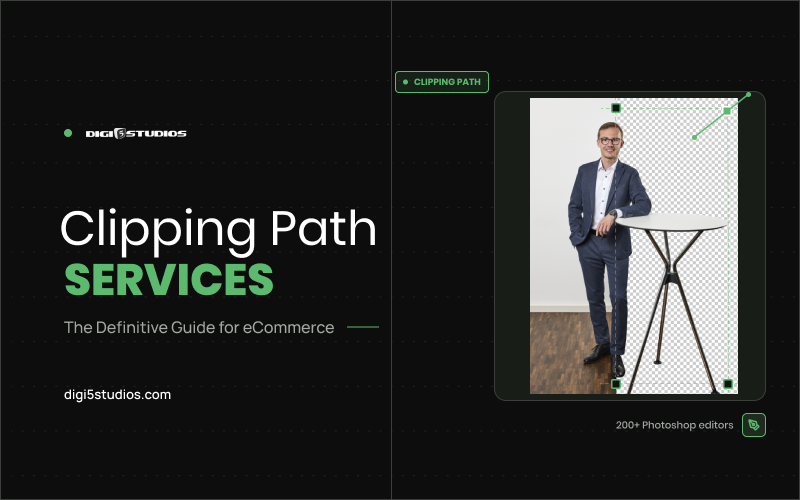
A clipping path is a vector outline drawn around a product in a photo. Everything inside the outline stays. Everything outside gets cut away, replaced, or made transparent. Think of it as tracing scissors around a photograph — except the line is precise down to the pixel and can be reused across every format you’ll ever need.
A clipping path service is the team that draws that outline for you, at scale, so you’re not doing it one photo at a time in whatever editing tool you happen to own. For a single hero shot, sure — you could manage it in an afternoon. For a catalog that turns over every quarter, you need people who do this all day.
And here’s the part most sellers don’t learn until they’ve been burned: a lot of AI background removal tools handle simple shapes fine and fall apart on anything with fine detail. Jewelry chains. Lace. Sheer fabric. Hair. Fur trim on a jacket. Auto-select guesses at the edge. A trained editor working the Pen Tool doesn’t guess.
That’s why every path we deliver at Digi5 Studios is hand-drawn rather than AI-generated. Not because automation is useless, but because it can’t be trusted to make the call on the edges that matter.
Why eCommerce depends on this more than any other industry
A print ad gets one shot at attention. A product photo has to survive being one of eighteen thumbnails on a search results page, then hold up again on the product page, then work inside a marketplace’s specific formatting rules.
- Amazon wants pure white backgrounds on main images and rejects listings that don’t comply.
- Etsy sellers want warmer, styled backgrounds that suit a handmade aesthetic.
- A DTC brand rebuilding its site wants transparent PNGs it can drop onto any layout.
- A wholesale catalog might need the same product on three background colours, one per season’s line sheet.
None of those are the same file. And if your only source image is a flattened JPEG with the studio background baked in, you’re reshooting every time a new requirement appears.
That’s the cost most sellers never budget for. Not the editing fee — the reshoot fee they didn’t need to pay.
A clean cutout gives you a flexible base layer instead. Once the product is properly isolated, you can swap backgrounds per platform, build lifestyle composites, or batch-produce a full season of campaign creative from one original shoot.
There’s a conversion angle too, and it isn’t subtle. Buyers judge product quality from photo quality before reading a single word of your description. Rough edges, leftover shadows from the original background, or a slightly haloed cutout read as cheap — even when the product is excellent.
How clipping paths drive sales across industries
The technique is the same everywhere. What changes is which detail decides the sale.
eCommerce and marketplace sellers
Compliance first, conversion second. Amazon suppresses non-compliant main images, so a clean cutout on pure white isn’t a design preference — it’s the price of being listed at all. Beyond that, consistent edge quality across a catalog is what makes a brand store look like a brand instead of a spreadsheet of uploads. This is where most product photo retouching projects begin.
Fashion and apparel
Garment photos rarely have clean edges. Loose hair, frayed hems, knitwear texture, and semi-transparent chiffon all defeat a hard vector outline. Apparel catalogs typically need alpha masking layered on top of standard paths, plus ghost mannequin work so the garment holds its 3D shape without a model or form in the frame. Get the edge wrong on a white blouse and the whole listing looks amateur.
Jewellery
The hardest category in the business. Chains, prongs, gaps between links, and the negative space inside a ring all need separate paths — and any softness at the edge kills the perception of value on a product where perceived value is the product. Auto-select tools consistently fill in gaps that should stay transparent.
Automotive dealers
Volume is the defining constraint. A dealer group turning over hundreds of vehicles a month needs consistent cutouts so every unit sits on the same branded backdrop, with glare removed and windows made see-through rather than showing the lot behind them. Inconsistent edges across an inventory page tell shoppers the listings were thrown together.
Furniture and home goods
Complex silhouettes with lots of negative space — chair legs, shelving, lamp frames, woven textures. Every gap has to be genuinely transparent, or the product looks like a sticker pasted onto the room scene when a customer drops it into a visualiser.
Three scenarios from real catalogs
A jewellery seller went automated to save money
The stones came back clean, but the software filled the gaps between chain links with white instead of leaving them transparent. On a black background the listing looked like the necklace was printed on paper. Hand-drawn paths on the same batch restored the see-through gaps.
Result: listings usable on every background, no reshoot.
An apparel brand used one technique for everything
Standard paths worked on the flat-lays and quietly destroyed the model shots — hair came back with a hard, cut-out edge that looked pasted on. Splitting the batch, paths for garments and alpha masking for anything with hair or sheer fabric, fixed it.
Result: one consistent catalog instead of two visibly different halves.
A dealership scaled faster than its editing
Three people on the team were each cutting out vehicles their own way. Nobody could name the problem, but the inventory page looked untidy — slightly different crops, slightly different edge softness, unit to unit. A written spec sheet and a single provider closed the gap.
Result: consistency across 400+ vehicles a month.
The pattern in all three: the cutout wasn’t the visible problem. It was the invisible one underneath the visible problem.
Simple paths, complex paths, and where alpha masking comes in
Not every image needs the same level of work, and pricing reflects that.
Simple clipping path
Clean, geometric edges — boxes, bottles, books, anything without stray detail poking out. Fast to draw, cheapest to produce.
Complex clipping path
Irregular shapes, multiple separate objects in one frame, or fine detail like jewellery settings and embroidery. Slower, and priced accordingly.
Alpha masking
Technically not a clipping path, but it belongs in the same conversation. It handles subjects where the edge isn’t a hard line at all: flyaway hair, fur, semi-transparent fabric. If your catalog includes fashion shots with loose hair or textured materials, ask specifically whether alpha channel work is included in your quote. Providers who don’t offer it will quietly ship a rougher edge and hope you don’t zoom in.
A good provider tells you which technique your images actually need. A poor one applies a single method to everything and hopes it holds.
How the process should actually work
Most reputable providers follow something close to this sequence. Worth knowing, so you can spot one cutting corners.
-
Sample batch first
A handful of your real images processed and returned before any commitment. This tells you whether the editors understand your category — jewellery cutouts and automotive inventory solve very different problems, and strength in one doesn’t transfer to the other. Ours is a free 3-image trial, returned in 12–24 hours.
-
Manual path drawing
For anything beyond a basic shape, an editor traces the subject by hand with the Pen Tool in Photoshop. Slower than automated masking. Far more reliable on complex edges.
-
Quality check against your spec sheet
Good providers work from a written style guide, not vibes. Background colour, shadow treatment, crop ratio, file format — locked before bulk processing starts.
-
Bulk delivery on a schedule
Once the sample is approved, the rest moves on your timeline, daily or weekly depending on volume, usually through Dropbox or a shared drive rather than email attachments.
Red flagIf a provider skips the sample step and quotes a flat per-image rate sight unseen, that’s usually a sign everything is running through automated software and being called something it isn’t.
What a clipping path service costs
Pricing runs by complexity, not a flat rate across the board. Simple clipping paths start at $0.25 per image, with multi-object or fine-detail work priced higher. Volume matters too — a batch of a few hundred images looks very different, cost-wise, from a monthly pipeline of tens of thousands, and most providers build in tiered rates past certain thresholds. The full breakdown by service sits on our pricing FAQ.
If a quote seems suspiciously low, ask what technique is behind it. Automated background removal is cheap because there’s no editor involved. Real manual tracing costs more because a person is actually working the Pen Tool around your product. For a sense of how that compares against subscription-based platforms, see our Pixelz alternative breakdown
Test us on your hardest images, not your easiest
Send the SKUs you expect us to fail on — the jewellery, the sheer fabric, the fur trim. Three images, hand-drawn paths, back within 24 hours. No payment, no commitment, and you keep the files either way.
Is it worth doing in-house?
Depends on your volume and your patience. If you’re listing a dozen products a month, the Pen Tool isn’t hard to learn, and plenty of small sellers handle their own cutouts fine after a weekend of tutorials.
Where it stops making sense is scale. Past a few hundred images a month — or when your catalog turns over fast enough that last quarter’s photos are already stale — the maths flips. Your time is worth more spent on sourcing or customer service than tracing belt buckles.
There’s also a consistency problem that shows up quietly. If three people on your team each draw paths their own way, your catalog ends up with subtly different edge quality across products. Shoppers notice, even when they can’t name what’s bothering them.
The middle ground many sellers land on: handle simple flat-lays internally, outsource the complex and high-volume batches. Just be honest about which category a shoot falls into. Ten t-shirts is not the same job as fifty pieces of fine jewellery.
Choosing a clipping path service without getting burned
Five questions cut through most of the marketing noise:
- Do they hand-draw paths, or run everything through auto-select with a five-second human glance afterward?
- What’s the real turnaround for your volume, not the advertised best case?
- Will they process a free sample before you commit to anything?
- Do they sign an NDA if your products are unreleased?
- How do revisions work, and is there a cap on rounds?
Turnaround deserves a specific mention because it swings widely by complexity. Simple clipping paths often come back within 24 hours. Batches involving detailed masking or thousands of SKUs need a realistic schedule — and anyone promising same-day delivery on a 5,000-image complex batch is either overstaffed or overselling.
Clipping path service FAQs
What is a clipping path service?
A team of editors who hand-draw vector outlines around products in your photos so the background can be removed, replaced, or made transparent — at scale, so you’re not tracing images one at a time.
How much does a clipping path cost per image?
Simple paths start at $0.25 per image. Multi-object or fine-detail work costs more, and most providers add volume tiers past a few thousand images a month.
What’s the difference between a clipping path and alpha masking?
A clipping path is a hard vector outline for products with defined edges. Alpha masking handles subjects where the edge isn’t a hard line at all — hair, fur, sheer fabric. Complex catalogs usually need both.
How long does clipping path work take?
Simple paths are typically returned within 24 hours. Detailed masking or multi-thousand SKU batches need a scheduled timeline.
Can AI background removal replace a clipping path service?
For basic geometric shapes, often yes. For jewellery chains, lace, hair, or fur, no — auto-select guesses at the edge, and the halo shows up the moment anyone zooms in.
Should I ask for a free sample first?
Yes, and send your trickiest images rather than your easiest. That single test tells you more than any sales page.
The takeaway
A clean product cutout is one of those things nobody notices when it’s done well and everybody notices when it isn’t. Getting it right isn’t about chasing the cheapest per-image rate. It’s about finding a clipping path service that hand-draws where the detail demands it, works from your spec sheet instead of guessing, and holds quality at volume instead of falling apart at 5,000 images.
Start with a small sample batch on your hardest images — fine detail, awkward edges, anything with hair or transparency — before committing to a full run. That single test tells you more than any sales page will.
Digi5Studios hand-draws every clipping path using the Pen Tool in Adobe Photoshop, with a manual quality check on every image before delivery. eCommerce, fashion, jewellery, automotive, furniture, real estate — 24-hour standard turnaround, NDAs on request, and a dedicated project manager who keeps your style guide consistent from the first batch to the hundred-thousandth.
